Tuesday, May 21, 2013

the truth…

…about why this photo wasn’t scrapped years ago…

{I shared this project on the doodlebug blog recently and thought I’d add it to my personal blog as well…}

"I've had this photo from Mother's Day 2006 just sitting in my photo album. I was hesitant to scrapbook it...because I guess I'm vain. ;) I know I do not look great in this photo. I look like I hadn't had time to get my hair colored in months. I look pale. I look exhausted. I was. Plain and Simple. But look at those cute kids! I love them so much and I am so grateful for them. And because of that, I chose to set aside my vanity and create a page to celebrate each of them and the opportunity I get each year to celebrate the blessing it is to be their mother - I am so blessed to have them in my life each and every day! :)

wendysue_mothers_day_layoutwendysue_mothers_day_layout_detail1wendysue_mothers_day_layout_detail2wendysue_mothers_day_layout_detail3wendysue_mothers_day_layout_detail4

And while I had all of my fun “flower box” supplies out, I created this little gift bag topper too!

wendysue_mothers_day_giftbagwendysue_mothers_day_giftbag2wendysue_mothers_day_giftbag3

supplies2

{you can click on the images for more information and/or to purchase!}

Monday, May 20, 2013

star banner tutorial…


Hi there!  I thought it was time to add this step-by-step tutorial here on my personal blog.  I created it almost a year ago for Doodlebug and I shared a little peek on my personal blog – but I have been getting dozens of clicks from Pinterest and I’m sure they are from my fellow crafty peeps looking for the tutorial – so here it is!  Let me know if you have any questions – and please come back again for more fun paper crafting projects!


I am excited to share this fun (and easy) project you can whip up in an hour or less and it will make your home feel extra festive.  I made my banner for the 4th of July, but it would work for many occasions depending on which papers you choose to use.

  Here are the papers I used:

 
I used the "b" side of pretty poinsettias, baby boy alphababies, and cool camo.  I also pulled out some ladybug, gray, and bubble blue glittered candy dots paper.  You can mix & match whichever papers you like best. 
 
I used a Silhouette Cameo to cut my stars. 
 
cameo1
You could, of course, hand-cut large stars, but I’d definitely recommend investing in a Silhouette Cameo if you don’t already have one. I use mine ALL. THE. TIME!  Go ahead and cut stars from each paper:


Repeat this process for however many stars you want to create.  (I did six)

The next super useful tool you want to use is a scoring board.  My favorite is this basic large unit by Scor-Pal.  You can see it HERE.

After your stars are cut out, score them all from point to valley:

 
It's easier to score the stars with a score board, but you can simply fold each star if you don't have access to a score board or tool.

Now you need to fold the stars - the points are the hills and the valleys are the valleys.


   Repeat for all of the stars:

And here's the trick to keep the stars from folding down flat - squirt a puddle of hot glue right in the middle of each star on the back.

Now punch holes in all of the stars - make sure one of the points is straight UP and punch the left and right points.

My favorite tool for hole punching is the Crop-a-Dile (available here).


Decide on a pattern.  I wanted red, gray, blue, red, gray, blue - with the glitter dots divided by the other papers:


Now grab your doodle twine in coordinating colors and start tying the stars together.


Once everything is tied together, go ahead and hang up your super patriotic star banner!


If you're looking even more inspiring 4th of July projects, please check out my inspiration board on Pinterest (here)! 

Enjoy making your own banner and thanks again for stopping by! :)

photo freedom | birthday wishes…

Good morning friends!  I was just thinking yesterday about how fast time is passing.  My kiddos are growing up so quickly.  We are all so busy and there are so many things happening and no matter how hard I am willing life to slow down, time marches on.  Case in point: my sweet daughter is less than a month away from being 16!  She is only two weeks away from finishing her sophomore year in high school.  Driving, dating, working…those life-changing events are all right around the corner for her! 

Even though my efforts to slow time are not working, I am grateful for photographs and recorded memories that allow me to reflect, time and time again, on events from the past.  I recently created this photo freedom spread to share on the Echo Park blog (here).  I used the “Birthday Wishes” collection – you can find it here.

wendysue_glitz_birthday_pl_spread copy

If you’re not familiar with the “photo freedom” system (much like the popular “project life” system), you can read more about here on the Echo Park blog…it’s based on a system created by the oh-so-talented Stacy Julian!  It’s a “pocket page” based style of scrapbooking.  Super fast.  Super easy.  Super fun. 

There are several types of pocket page protectors available for this system – this is a combo pack with two of each style.  They are available at Two Peas (here), Scrapbook.com (here), and Amazon (here), just to name a few online stores.

Here are a few more details from my project:wendysue_glitz_birthday_pl_spread_detail2wendysue_glitz_birthday_pl_spread_detail3jpg

If you’d like to find out more about my project, you can download this (and other FREE) project PDFs HERE in the "Inspiration" section of the Echo Park website.

Happy Monday!

Thursday, May 16, 2013

a recommendation – and a GREAT deal…

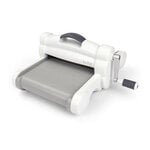
One of the “work” questions I get asked all the time is “do you have a Silhouette or a Cricut?”  The technical answer is “both.”  Because I do own both.  However, I only actually USE one of the machines – and that’s my Silhouette Cameo

cameo1

I love, love, love it!  And whenever anyone asks, it’s the machine I recommend.  (Of course I know a lot of very happy Cricut owners too – this is just my preference.)  I’ll be honest – it’s not inexpensive.  I believe the MSRP is $299.  But being able to create so many customized designs saves me a lot of money (and time) in the long run – so it’s TOTALLY worth the investment!!  Just think of how much you’ll save when you can cut your own custom titles, embellishments, backgrounds, and even items like gift bags and boxes! 

So, this morning I was looking into ordering some replacement mats for my machine and I happened to come across this AMAZING deal on Amazon today and I wanted to pass it along to those of you who are on the fence about purchasing this awesome machine.  Check out this bundle package:

cameo_bundle

  • The silhouette cameo starter bundle includes an extra mat (2 total), cutting blade (2 total), metallic pen set and pick-me-up-tool
  • 50 exclusive cuttable designs and $10 gift card to the Silhouette Online Store

And you’ll never guess the price – it’s only $269.99!!  Truly an amazing deal!  I believe the mats and blades, when purchased separately are about $15 each – and believe me, an extra mat is a MUST!


And if you do decide to jump on the Cameo Bandwagon, or you’re already on it with me, be sure to check out the new downloadable shapes over on Two Peas as well – there are some really fun shapes – including some FREE ones! :)

free-2919034_600x600 free_shape2919043_600x600

And just for fun…here’s a project I made for the Create: blog a while ago using a cut file and my cameo to create this little photo envelope. :)

wendysue_photobag11wendysue_photobag13

The cute bag shape is available in the Silhouette Store HERE

wendysue_photobag12

And if you’re interested in seeing a tutorial for the bag, you can see the full post HERE!